
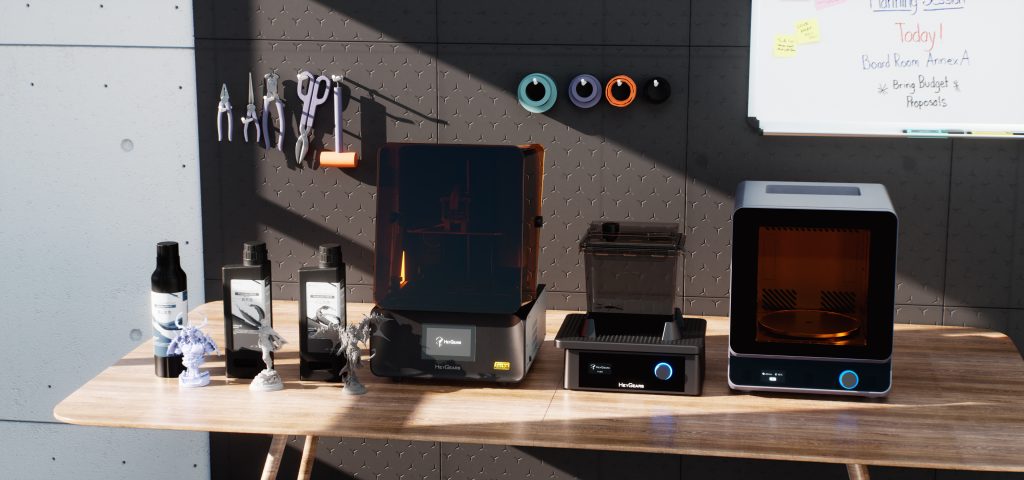
If you’ve ever wanted to start with resin 3D printing but the entire process intimidated you, then the HeyGears RS Turbo might just change your mind. This machine is built for beginners. No resin printing experience needed, no confusing setup steps, and no endless tweaking of settings. From unboxing to your very first print, it takes less than 15 minutes to get going.
I’ve tested a lot of resin printers over the years, but the RS Turbo honestly surprised me with how smooth and beginner-friendly the whole process was. So let´s take a closer look!
Pros and Cons
Pros
- Super easy to set up and start printing (under 15 minutes)
- Excellent print quality straight out of the box
- Blueprint Studio slicer is perfectly tuned for HeyGears resins
- Automatic bed leveling and environmental adjustments
- WiFi connectivity and a very useful companion app
- Reliable printing (zero failed prints during testing)
- Smart design choices for the curing and washing stations
Cons
- Third-party resins work, but need manual tweaking
- Washing station’s shaking motion can be rough on delicate minis
- No resin or replacement film included in the box
More info on HeyGears official website.
Use the Promo code “CRAFTKNIGHTS” to get $60 off for the RS Turbo just for this Black Friday!
HeyGears RS Turbo Features
The RS Turbo feels like it was designed with ease of use in mind. Everything is automated, from build plate leveling to temperature regulation, and it even checks for resin residue left in the tank before you start a new print. That’s a small detail, but it saves a lot of frustration in the long run.
WiFi connectivity is built in, so you can send files directly from your computer without messing around with USB drives. The HeyGears app then keeps you updated on your print’s status (whether it’s slicing, printing, or has finished printing).
Normally, I’m not a fan of printer companion apps, but this one is genuinely helpful. I found myself checking it all the time just to see how far the printing process was.
You don´t need to know anything about resin printing before using the RS Turbo. Simply downlaod Blueprint Studio (HeyGears slicer software) and import the model that you want to print. You have to choose your printer and the resin for every project but this step is quite fast and ensures that all the settings are right for every print job.
Then simply click on “One Click Slice” and Blueprint Studio will orient the models, add supports, arrange the models on the build plate, slice the models, and finally send them to your printer. All without a single manual step on your side. Except for clicking one button, of course.
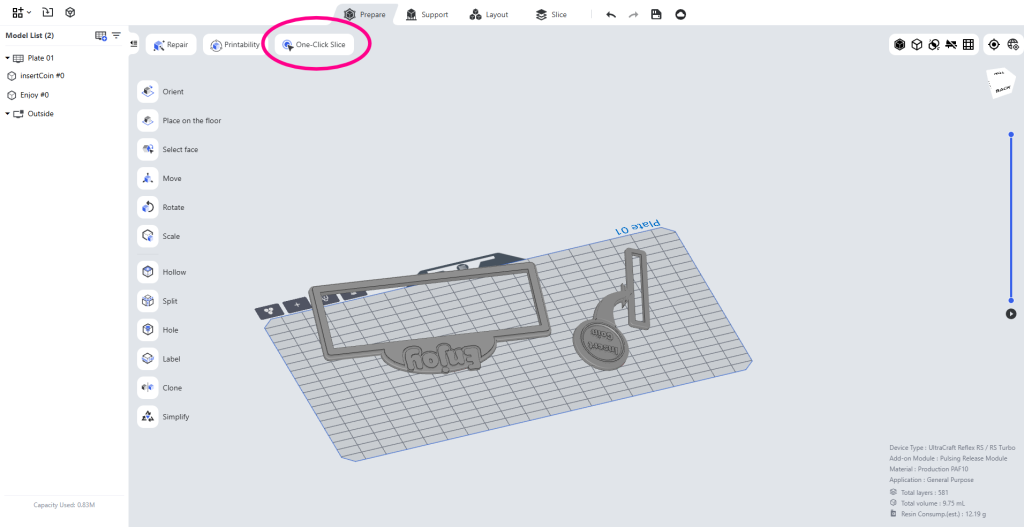
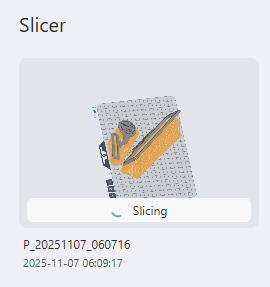
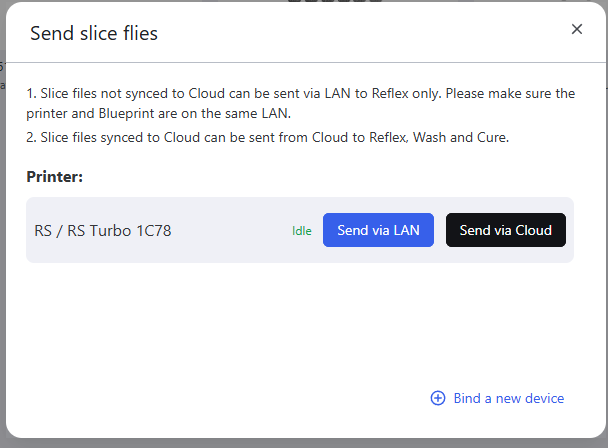
This is probably the best out of the box experience I ever had on any resin 3D printer.
Included in the Box
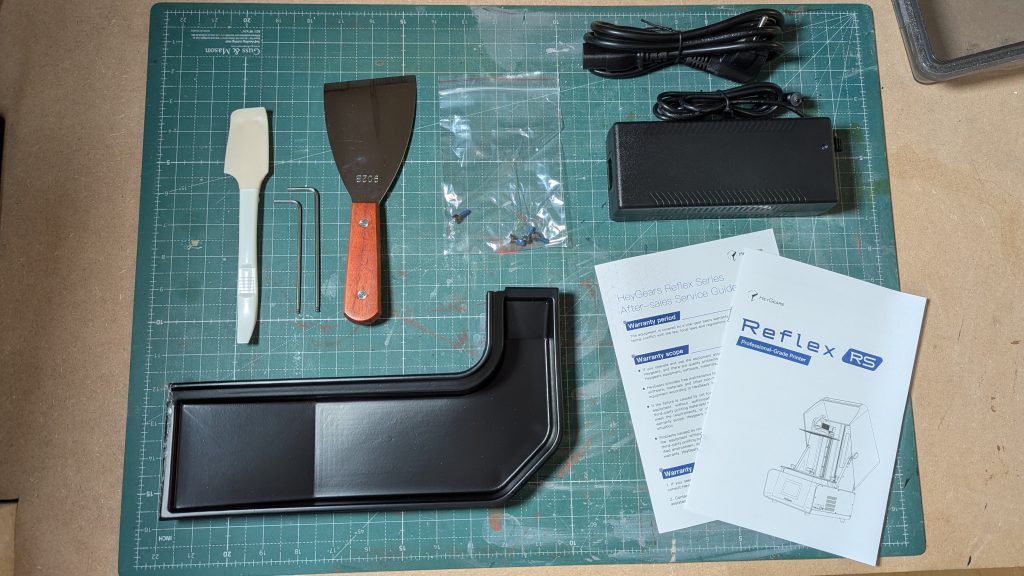
In the box, you’ll find everything you need to get started. A user manual, a metal scraper, a silicone scraper, cables, and basic tools. What’s missing, though, is resin and a replacement film for the vat, so make sure to grab some before your printer arrives.
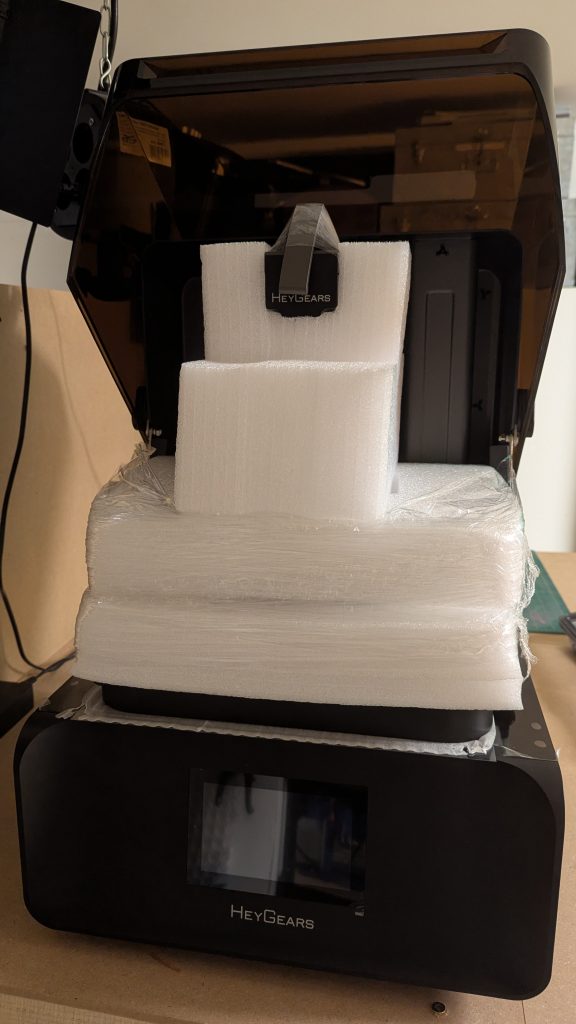
The machine was overall very well packaged and I would be very supprised if any shipping company would be able to damage it.
Print Quality
This is where the RS Turbo really shines. The print quality is nothing short of incredible. I didn’t have to tweak a single setting. Every model came out clean, crisp, and full of detail.
For example, I printed a Harry Potter chess piece, and even the tiny fingers on the figure were perfectly defined.
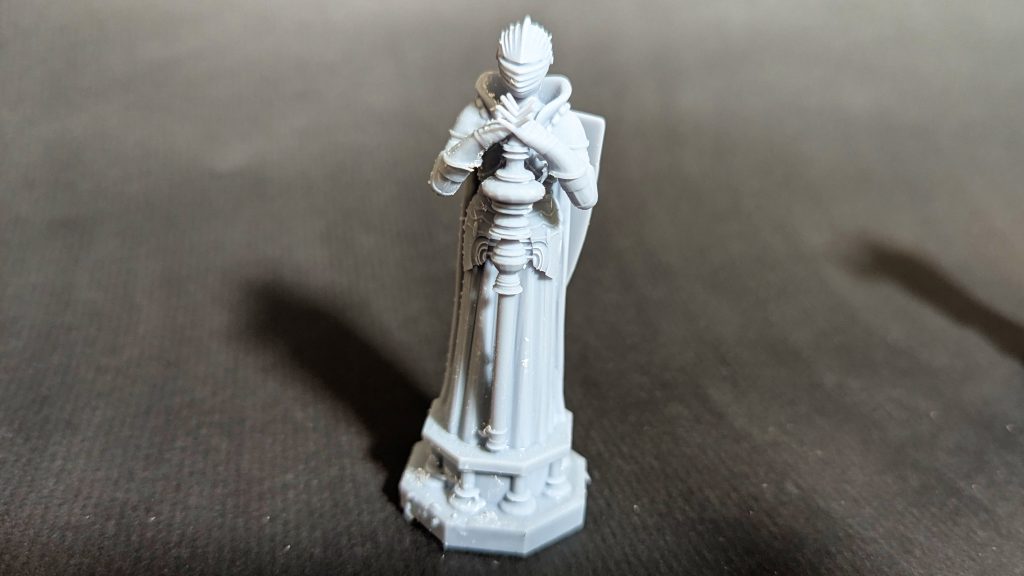
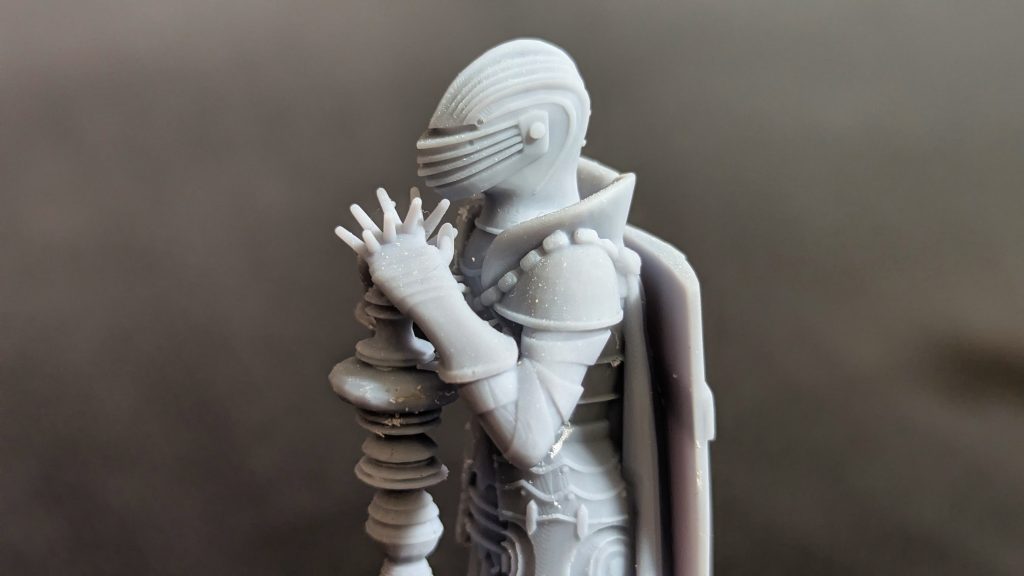
The queen was printed with PAS10 which is HeyGears standard modelling resin for miniatures.
This Knight figure, from the same chess set, even had its leach and morning start printed perfectly.
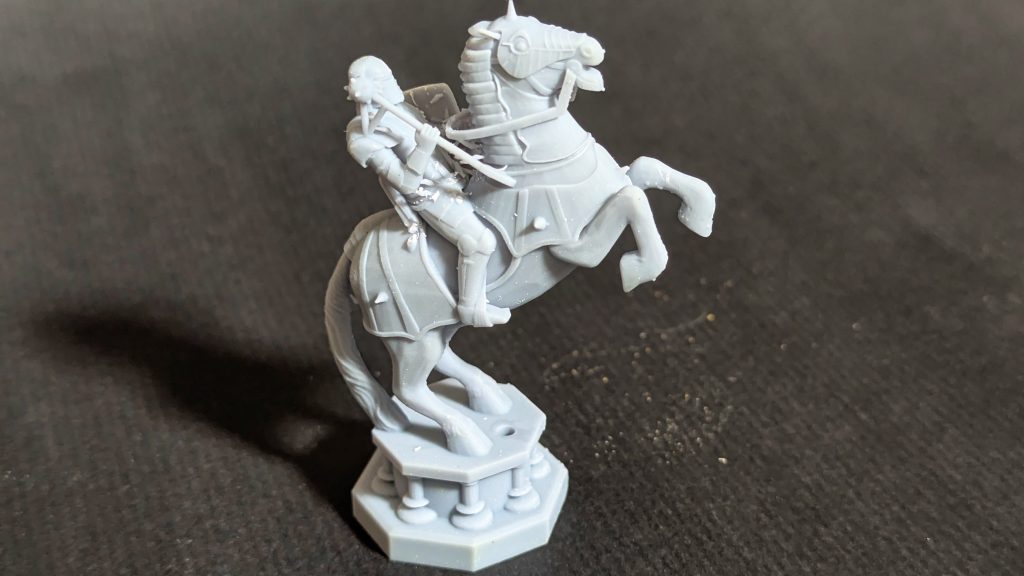
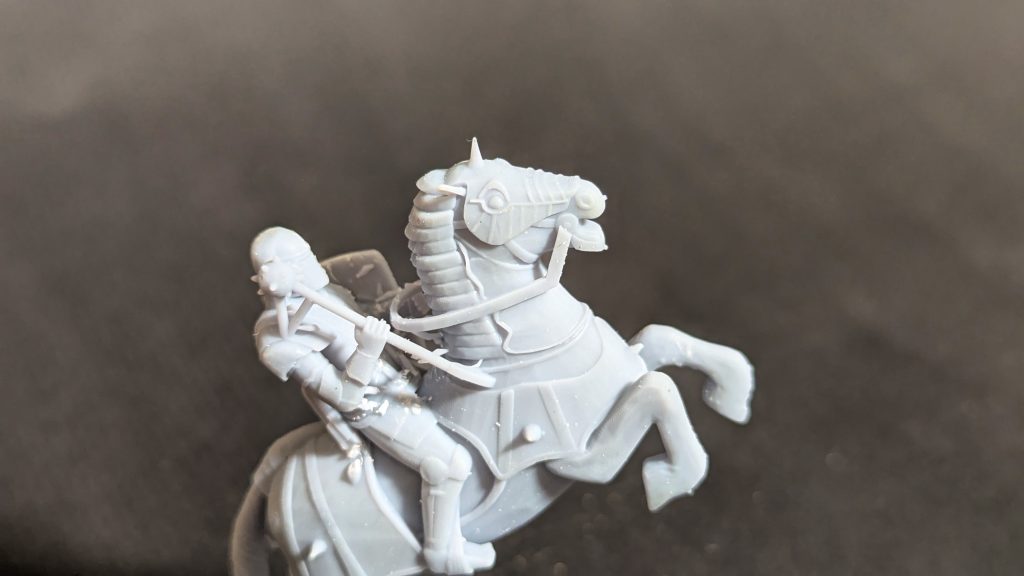
The Knight was also printed with PAS10 resin.
Another print, a highly detailed orc miniature, captured every tooth, chain, and texture flawlessly.
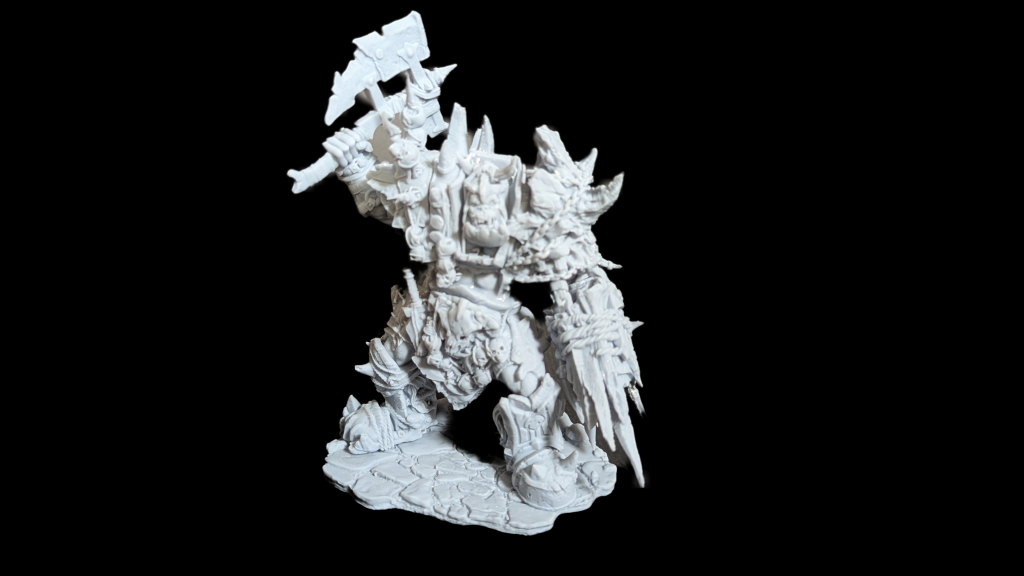
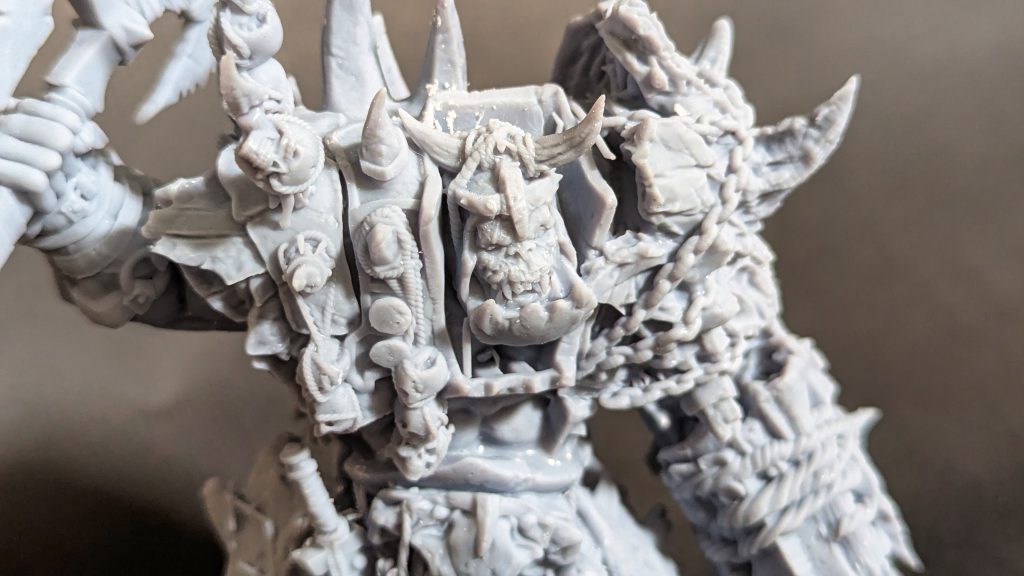
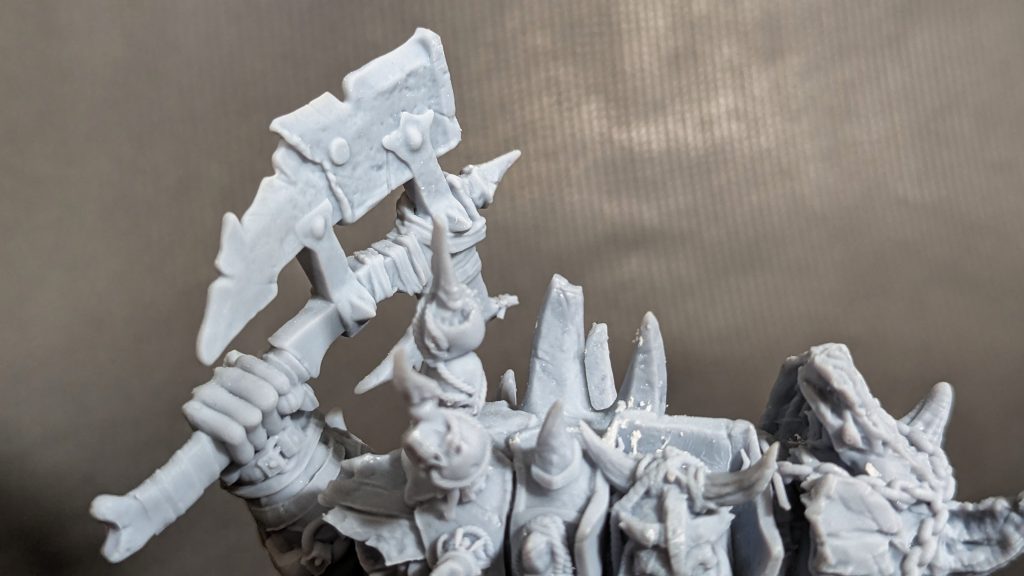
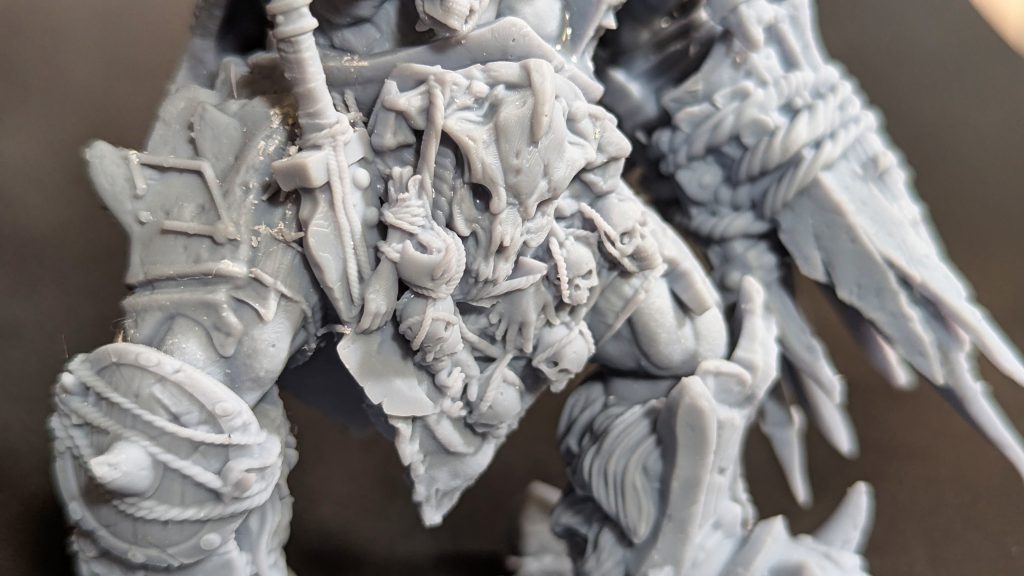
This Orc was printed with PAP10 resin which is HeyGears high-precision resin that is great for dimensional accuracy and highly detailed miniatures.
And finally, I printed this 3D print sign for a personal project of mine with PAF 10 which is a slightly flexible resin with very good dimensional accuracy. This resin is best for production models that need to be strong and resistant to wear and tear.
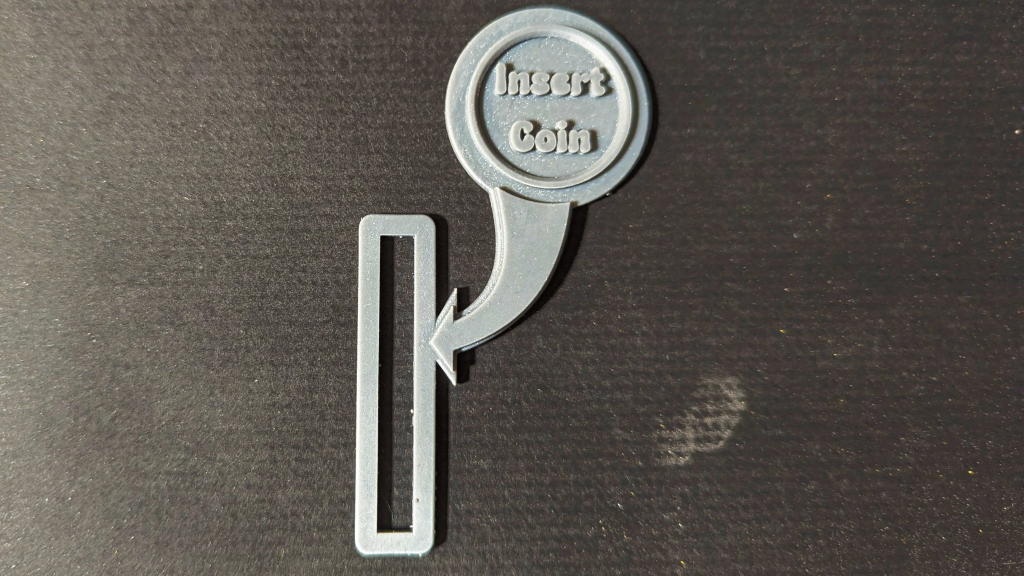
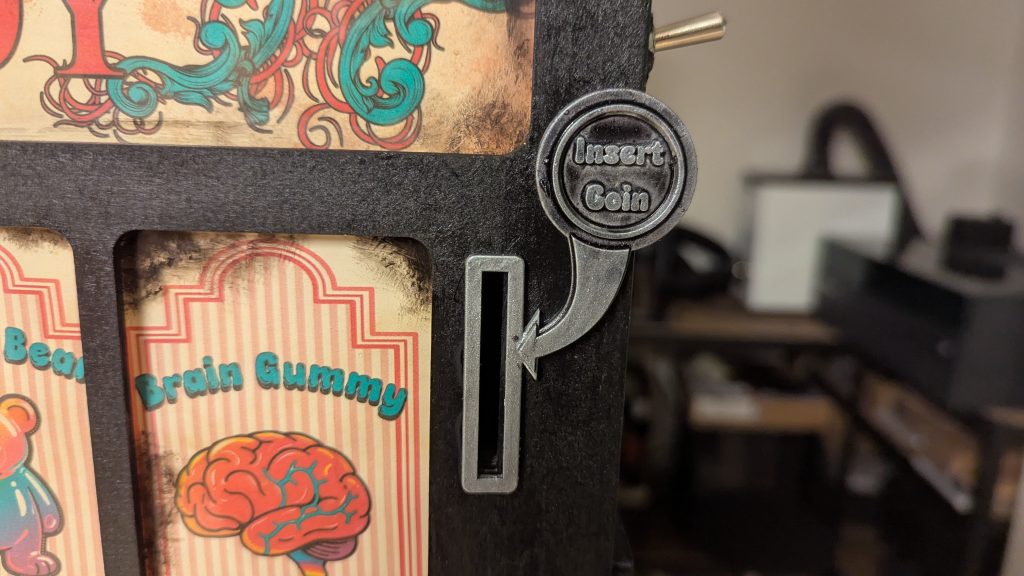
HeyGears offers a lot of different intetresting resins in their shop. There are high-temperature resins like their PAH 10 or PAC 10 which is essentially wax. Check out the official HeyGears shop to see all of their resins for yourself!
Across multiple tests, I didn’t have a single failed print. That’s impressive for any resin printer!
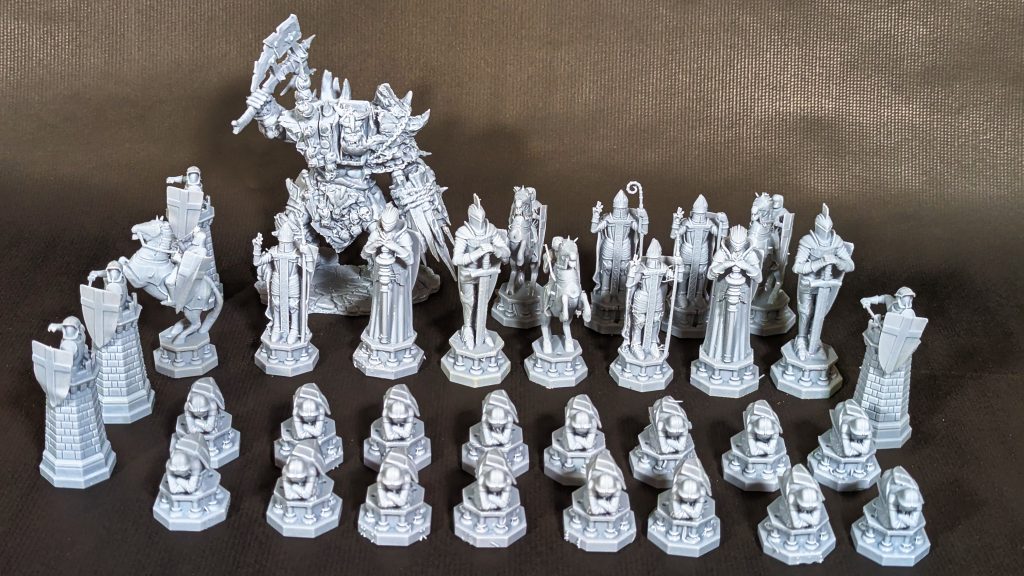
Here is the entire printed chess set. All printed on the RS Turbo with no visible flaws or failed prints.
Supports
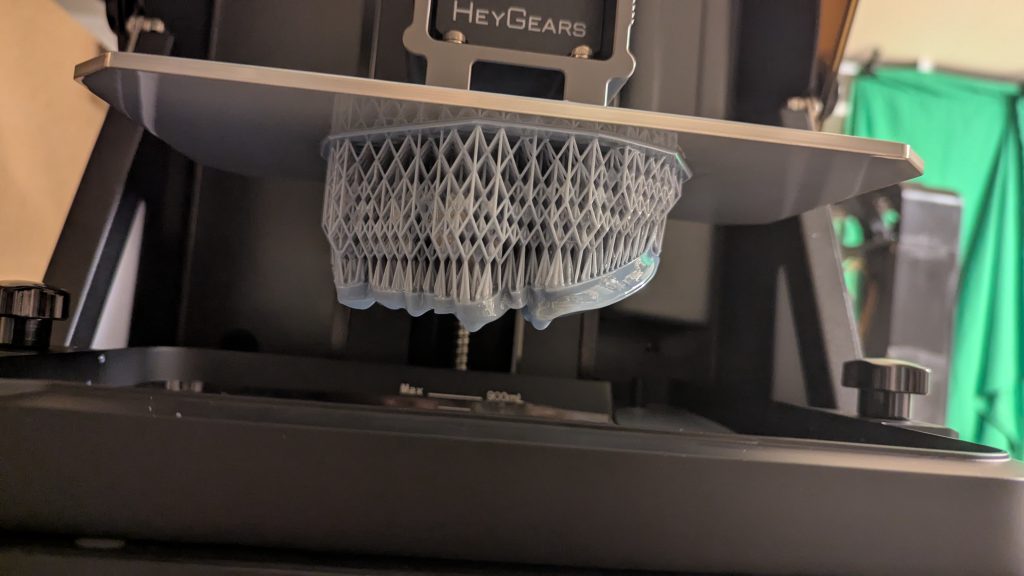
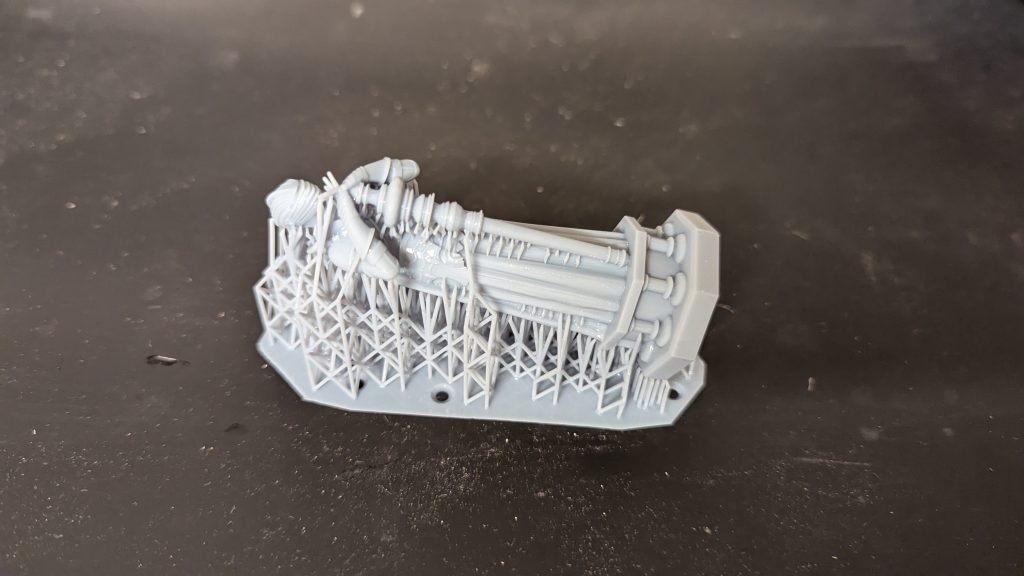
As mentioned before, the Blueprint Studio slicer can add supports automatically and it does so in a way that ensures a successful print while making them easy to remove with minimal marks on the miniatures.
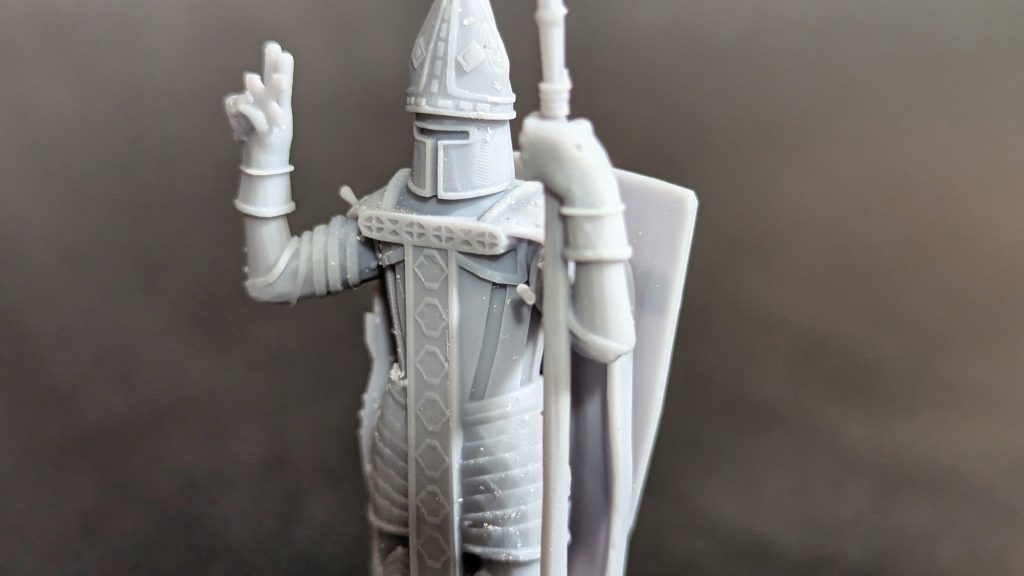
And here you can see a miniature after removing the supports without any sanding or post processing done to it other than curing and washing.
As you can see, there are some small marks visible but they don´t influence the details at all and can easily be removed with a little sanding. This is probably the cleanest result I got from any resin 3D printer without needing to dial in the settings for hours.
With other resin 3D printers I would usually need to guess some settings that seem resonable and then do a couple of test prints to see which settings would work best. Once the settings where dialed in they worked but it usually took some hours to get the right settings for the support and curing time. This tidious task, however, is not present with the RS Turbo as HeyGears already has all of the settings for their resins dialed in for you.
You just have to import your model, let Blueprint studio calculate orientation, supports, and slicer settings for you, and then send the model to your printer.
The RS Turbo feels more like a tool for your hobby than a hobby itself. And that is a very welcome change.
HeyGears Slicer Software – Blueprint Studio
The Blueprint Studio slicer from HeyGears deserves special mention. It’s preconfigured almost perfectly for HeyGears own resins, so you don’t have to worry about adjusting exposure times or layer heights.
If you decide to use third-party resins, it’s possible (the printer isn’t locked down) but you’ll need to do some tuning to get the same level of quality. Still, for most users, sticking with HeyGears resin will give the best results with the least hassle. And the resins aren´t extremely overpriced either
Washing Station
HeyGears also offers a washing station to go with the RS Turbo, and it’s quite different from the usual vortex-style washers. Instead of spinning the cleaning fluid, it shakes the container to remove uncured resin. It works well, but I’m not a huge fan of this approach. It can be a bit rough on fragile miniatures. And even though it did work for all the test prints I did I can´t help but feel that this approach is a bit more violent than necessarry.
That said, the container design is brilliant. It has a valve at the bottom for easy draining, plus a metal filter held in place with magnets to catch resin debris. The filter pops right out for cleaning.
It’s simple, smart, and just works.
You don´t need to set the settings for washing manually as Blueprint studio can send the correct settings for the type of resin used directly to the washing station via WiFi. This helps save time as HeyGears already did all the testing for you.
Curing Station
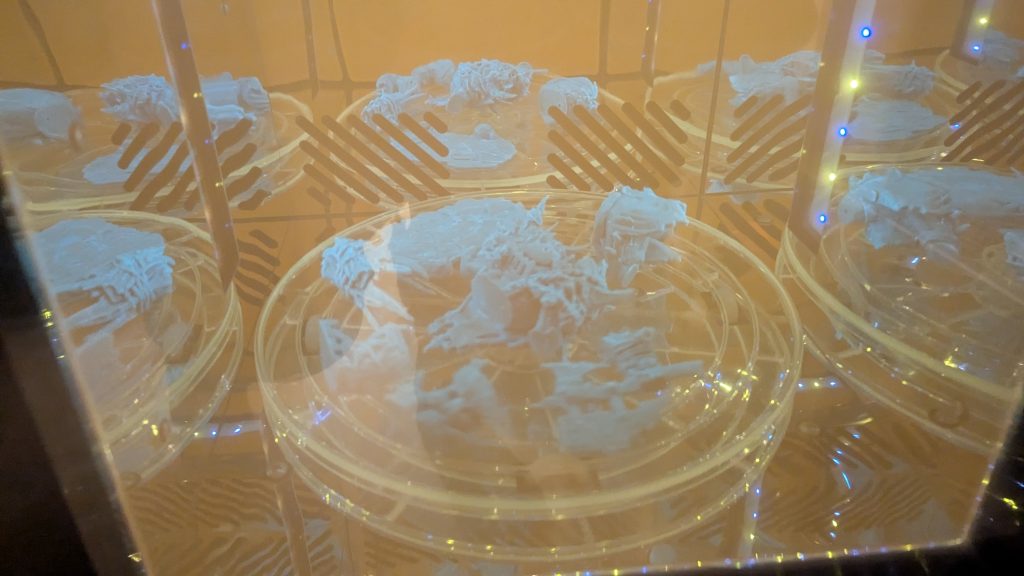
The curing station is another well-thought-out machine. It bakes and cures resin models evenly and reliably, with consistent results every time. I didn’t run into any issues here. Just smooth, predictable performance.
You don´t need to manually set any settings, the curing station can also be connected to your WiFi and then receive the proper settings for curing from the sliced file from Blueprint studio.
The settings will be perfect for the type of resin used.
Conclusion – The Best Beginner Resin Printer?
The HeyGears RS Turbo is, without a doubt, one of the easiest resin 3D printers I’ve ever used. From setup to final print, everything just works. No complicated calibration, no endless test prints, and no frustration.
The setup of the machine is easy and it shows you exactly what to do on the screen before your fisrt print. The slicing is probably the easiest I´ve seen so far with their Blueprint Slicer and one click slicing solution.
I don´t know of any other resin 3D printer where the setup and slicing workflow is as easy and beginner friendly as this. You don´t need to know anything about resin 3D printing. This printer just works!
So, in my opinion, this printer is perfect for beginners and even for resin print farms as it is easy to use and the workflow is very easy and repeatable.
This machine is not a hobby it is a tool for your hobby or your work. It does what it is supposed to do without you needing to know how it works.
Yes, it’s a little trickier to use third-party resins, and the washing station’s shaking motion isn’t perfect, but these are small drawbacks compared to how streamlined the overall experience is.
If you’re new to resin printing and want something that’s reliable, fast to set up, and produces stunning prints right out of the box, the HeyGears RS Turbo is absolutely worth considering.
More info on HeyGears official website.
Use the Promo code “CRAFTKNIGHTS” to get $60 off for the RS Turbo just for this Black Friday!
